
Supervisor and VKS clusters are built using a common Kubernetes distribution core, but their Kubernetes versions are delivered differently. Starting with VCF 9, Supervisor Kubernetes releases are delivered independently of vCenter. You can update the Supervisor version by deploying a release from the Supervisor Content Library. In this blog post, we will walk through the Supervisor update process step by step. Let’s get started!
Create and Configure a Subscribed Content Library for Supervisor Images
For vSphere Supervisor, VMware publishes Supervisor images through a content delivery network (CDN). To enable or upgrade vSphere Supervisor, you can create a Subscribed Content Library that synchronizes with the Supervisor release images.
You can configure the content library in either Immediate or On-Demand synchronization mode. Note that immediate synchronization from the public CDN may require more time and consume additional disk space.
- Log in to vCenter as a vSphere administrator.
- From the Home menu, select Content Libraries
- Click Create
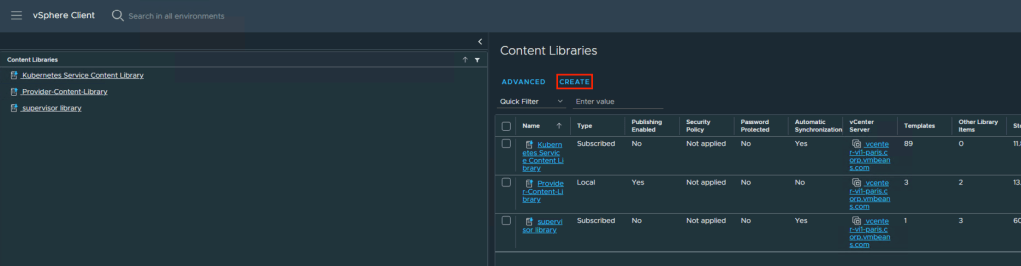
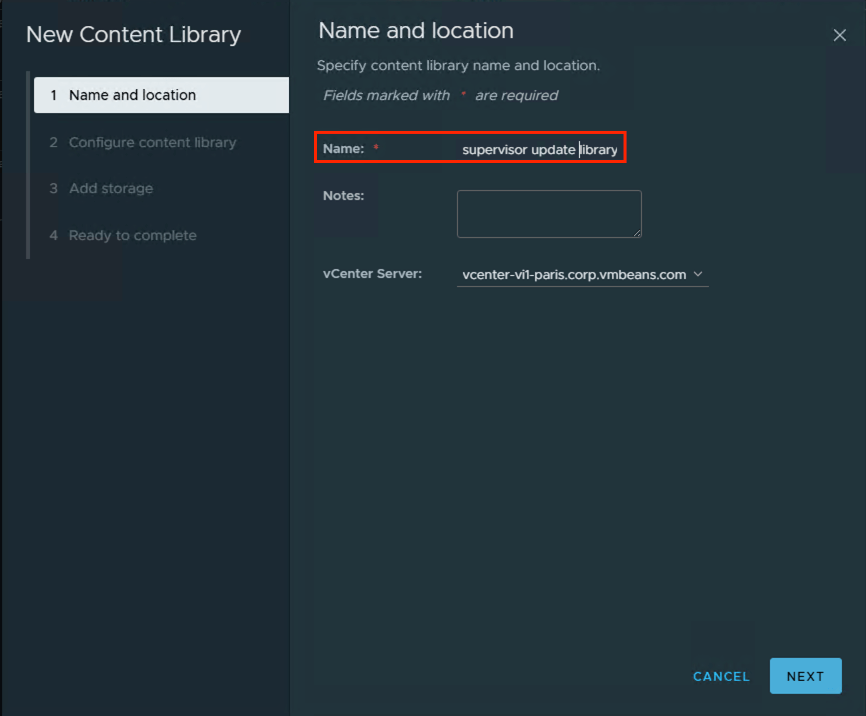
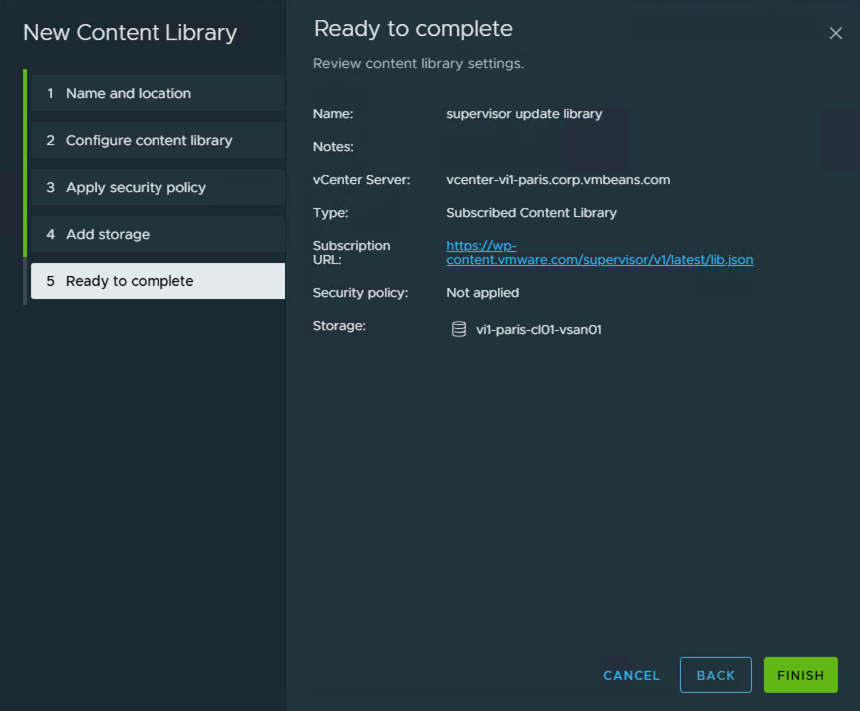
- Provide a name for the library (for example, supervisor update library) and click Next.
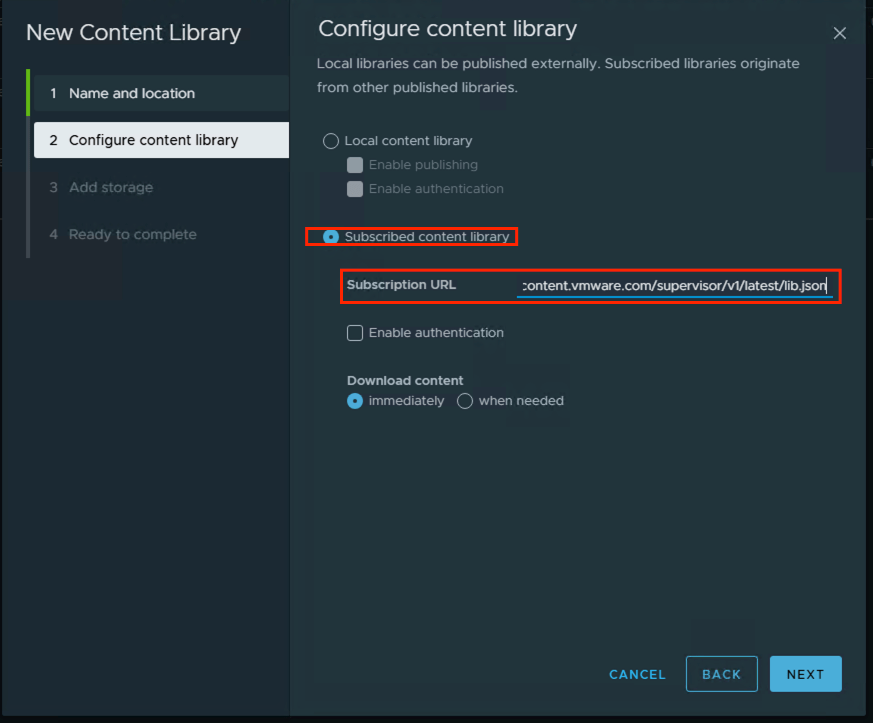
- On the Configure Content Library page, select Subscribed Content Library.
- Subscription URL is : https://wp-content.vmware.com/supervisor/v1/latest/lib.json, URL is posted here : https://techdocs.broadcom.com/us/en/vmware-cis/vcf/vcf-9-0-and-later/9-0/vsphere-supervisor-installation-and-configuration/updating-vsphere-supervisor/updating-the-vsphere-with-tanzu-environment/create-a-supervisor-asynchrounious-releases-content-library.html
- In the Download content section, select the synchronization mode of the content library and click Next
- When prompted, accept the SSL certificate thumbprint.The thumbprint will remain stored on your system until the subscribed content library is removed from the inventory
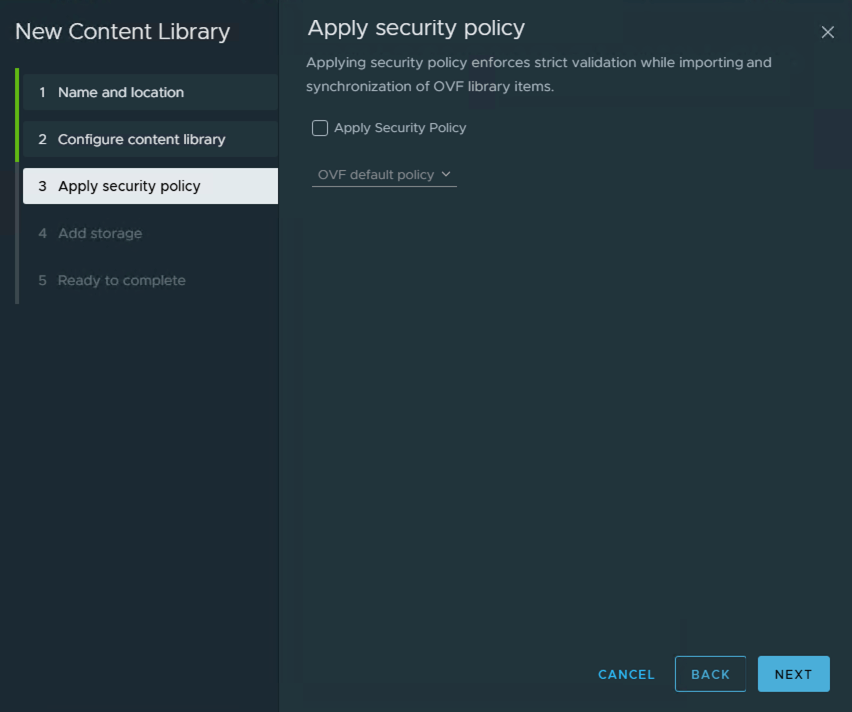
- Apply Security Policy click Next
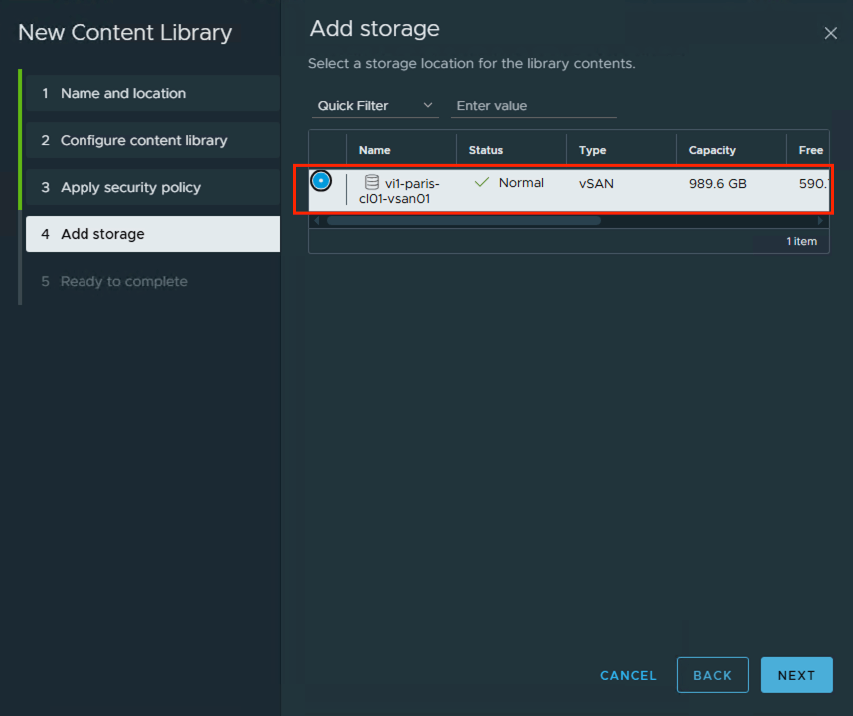
- On the Add storage page, select a datastore as a storage location for the content library contents and click Next.
- Review the details and click Finish
Assign the content library to the vSphere Supervisor platform
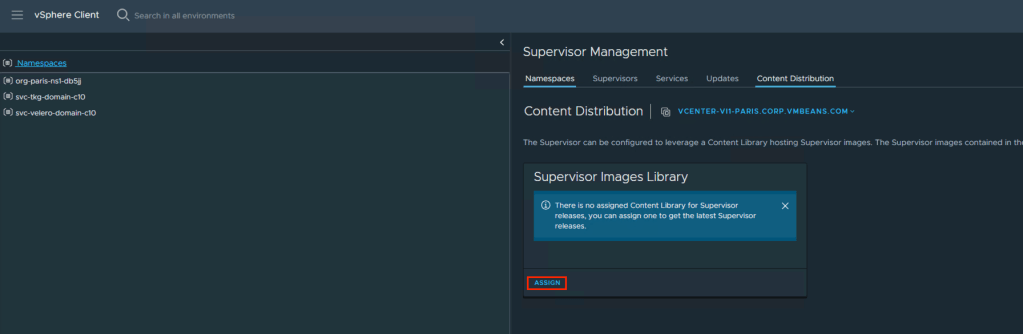
- on vCenter go to Home menu, select Supervisor Management
- Select Content Distribution.
- On the Supervisor Images Library card, click Assign
- Select the Content Library that created above and click Assign
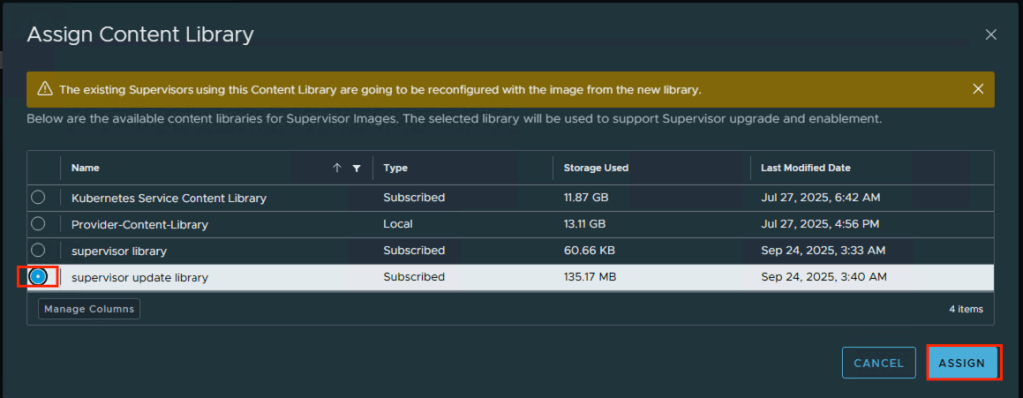
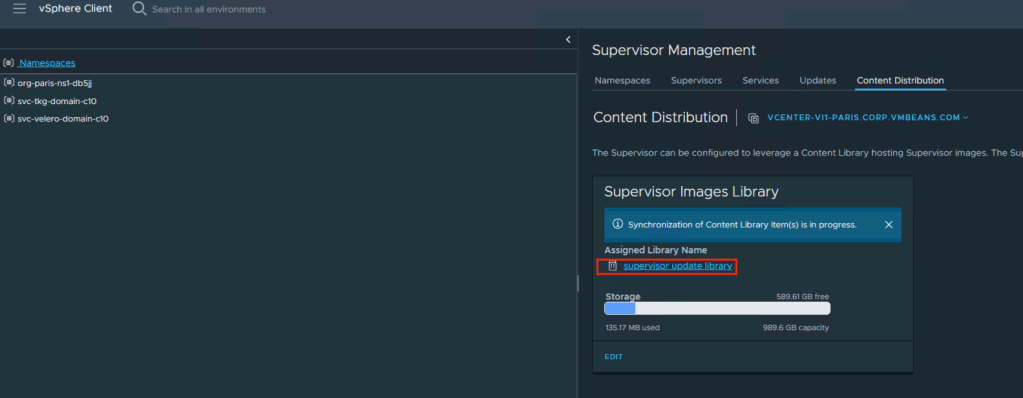
- The new content library begins synchronizing, which may take some time. After synchronization is complete, the new Supervisor Kubernetes versions included in the images will appear under the Updates tab
Apply Updates
- Select the Available Version you want to update to. For example: v1.30.10+vmware.1-fips-vsc9.0.0.0100. ⚠️ Updates must be applied incrementally. You cannot skip versions (e.g., upgrading directly from 1.28 to 1.30). The correct sequence is 1.28 → 1.29 → 1.30.

- Select a Supervisor to update and click Apply Updates
The system runs a series of pre-checks to verify the compatibility of the different components against the Supervisor Kubernetes version to which you want to update.
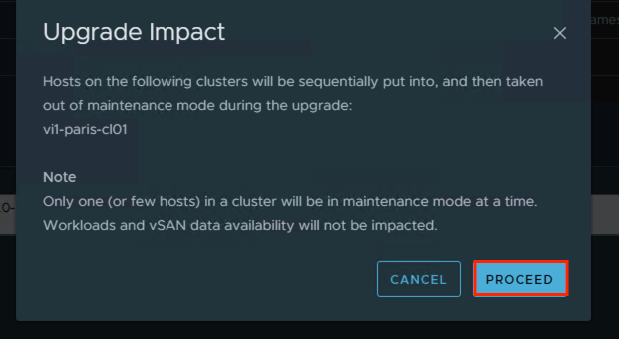

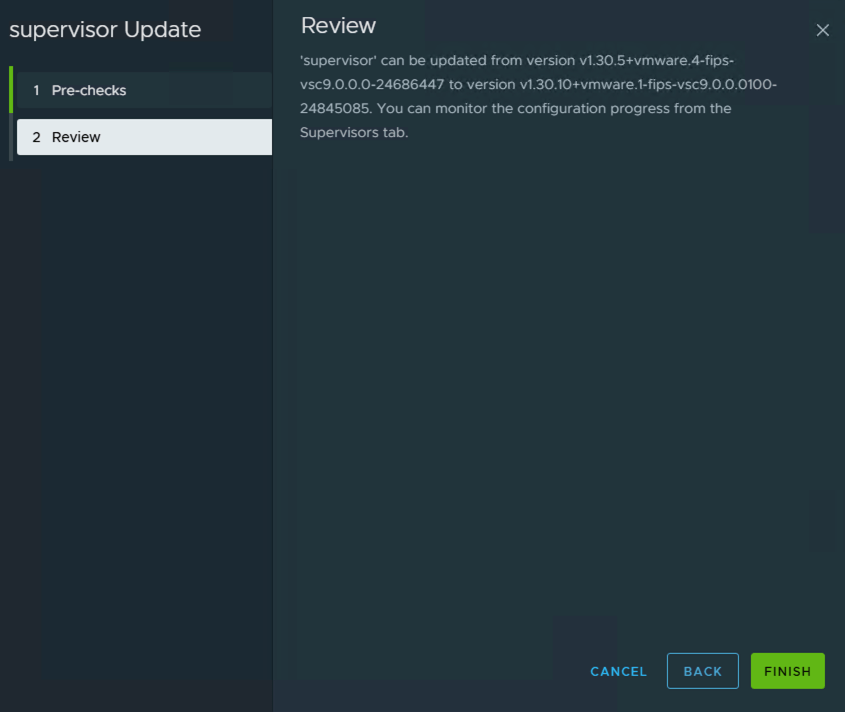
Learn which are the pre-checks that are run before updating the supervisor and how to troubleshoot in case of errors resulting from failed pre-checks, HERE
When the pre-checks are completed successfully, you can update the Supervisor.

Upgrading the VMware vSphere Supervisor service is a critical step in maintaining a secure, stable, and feature-rich VMware Cloud Foundation environment. By following best practices—planning incremental updates, leveraging subscribed content libraries, and validating compatibility at every stage—administrators can ensure minimal downtime while keeping workloads and Kubernetes clusters up to date. Regular Supervisor upgrades not only enhance platform capabilities but also strengthen the foundation for running modern applications, containers, and cloud-native services efficiently and reliably.

 VMTECHIE
Leave a comment