
In today’s rapidly evolving cloud landscape, integrating robust data management solutions is crucial for maintaining efficiency and scalability. VMware’s Data Services Manager (DSM) offers a comprehensive suite of tools to manage data services, and when integrated with VMware Cloud Director (VCD) and the Data Solutions Extension (DSE), it provides a powerful platform for cloud providers and their tenants. Integrating VMware DSM with VCD and DSE offers several advantages:
Automation: Integration with VCD’s automation capabilities enables streamlined deployment and management of databases.
Self-Service DBaaS: Tenants can easily provision and manage databases like MySQL, PostgreSQL, etc., without admin intervention.
Centralized Management: Service providers maintain full control and visibility over all database services provisioned by tenants.
Scalability: Easily scale database instances as per tenant demand, with seamless multi-tenant support.
Overview of VMware Data Services Manager (DSM)
VMware Cloud Director extension for Data Solutions offers a simple tenant-facing self-service UI for the lifecycle management of data solutions with a single view across multiple instances, and with URL to individual instances for service specific management. Service instances are deployed in the service provider’s VMware Cloud Director-managed VMware vSphere or VMware Tanzu Kubernetes Grid on-premises infrastructure. The full stack – management to individual data services – is VMware-supported and available on a consumption basis. Service providers have a choice to offer VMware Cloud Director extension for Data Solutions as self-service to data-experienced tenant customers, as a managed data service, or as a sovereign cloud data service. This extension widens VMware Cloud Director’s multi-tenant-safe cloud consumption surface to support the following data solutions.
- VMware Data Services Manager MySQL
- VMware RabbitMQ
- VMware SQL with Postgres and VMware SQL with MySQL
- Mongo DB Enterprise Advanced and Community editions
- Apache Kafka – Confluent Platform
- VMware Data Services Manager Postgres
Prerequisites
Before you begin the integration, ensure you have the following:
- A deployed VMware Cloud Director instance.
- VMware Data Services Manager installed and configured.
- A prepared Tanzu Kubernetes Grid (TKG) cluster.
Steps for Integration
Install and Configure VMware DSM
VMware DSM simplifies data services management by offering a platform for tenants to provision, manage, and monitor their databases. Here’s how to set it up:
- Deploy DSM:
- Deploy the VMware DSM appliance in your VMware environment.
- Ensure DSM is connected to your Cloud Director and vSphere environment, with access to required resources for provisioning database instances.
- Configure Data Services:
- Within DSM, configure the data services you wish to offer to tenants, such as MySQL, PostgreSQL, MongoDB, etc.
- Define database service policies, such as backup policies, storage configurations, and high availability options.
- Create Tenant-specific Database Templates:
- Create database templates or pre-configured service offerings for different tenants, specifying the parameters such as CPU, memory, storage, and network configurations.
For more details on how to setup DSM see – set up the infrastructure policy and backup locations in the VMware Data Services Manager portal, see the VMware Data Services Manager Documentation.
Data Solution Extension Integration with DSM
The VMware Cloud Director Extension for Data Solutions is a powerful plug-in designed to enhance VMware Cloud Director by adding data and messaging services to its portfolio. This extension enables cloud providers to offer a variety of on-demand data services to their tenants, including:
- VMware SQL with MySQL
- VMware SQL with PostgreSQL
- RabbitMQ
- Kafka
- Mongo DB
Now to Integrate DSE with DSM follow below steps:
- Access your VMware Cloud Director instance and navigate to the Data Solutions Extension.
- Go to
Settings > DSM Integrationwithin the Data Solutions Extension interface - Choose the TKG cluster (this is provider hosted K8s Cluster) where you want to deploy the data services operatorr and click Next.
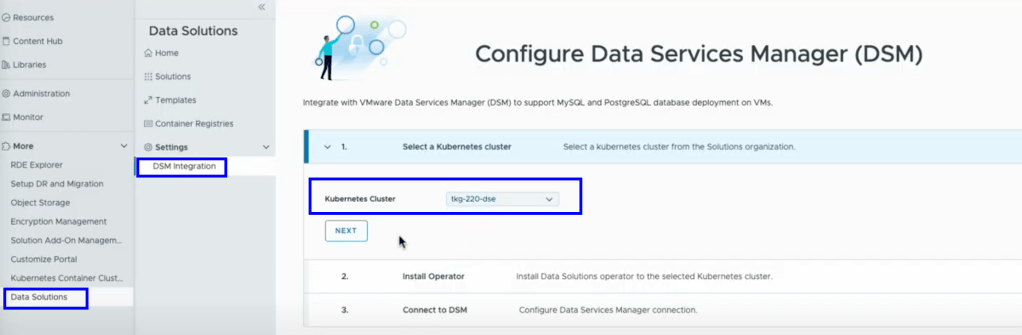
- Follow the prompts to install the Data Solutions operator. This process typically takes a few minutes.
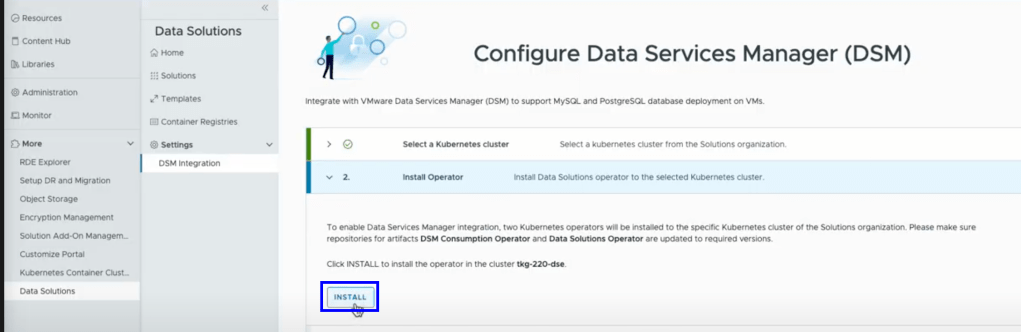
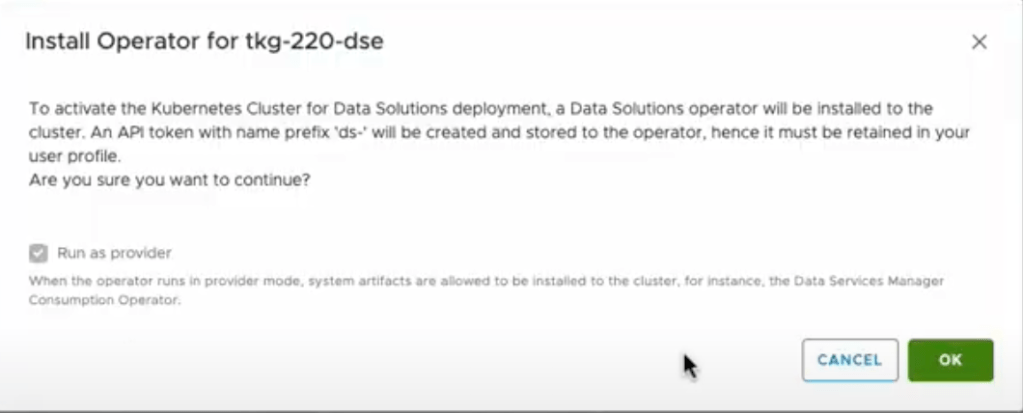
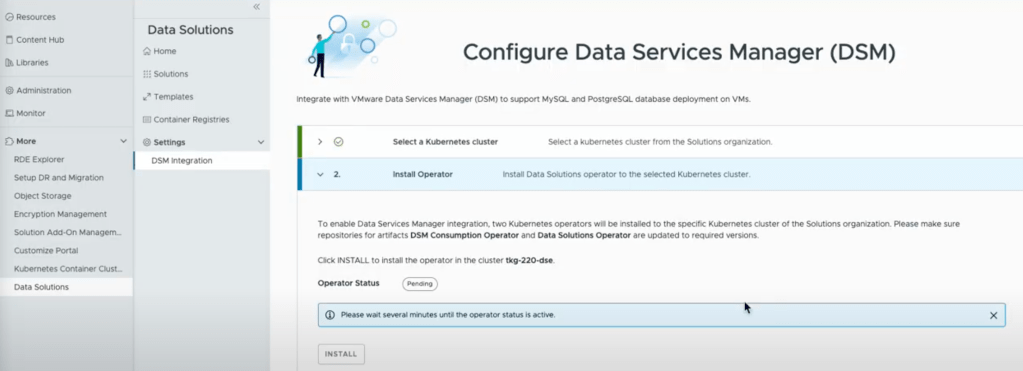
- Enter the necessary details to connect VMware DSM with the Data Solutions Extension and click
Connect

- Define infrastructure policies and backup locations within the VMware DSM portal to ensure data protection and compliance.
Publish to Tenants
Once the integration is complete, you can publish VMware DSM PostgreSQL and MySQL solutions to tenant organizations.
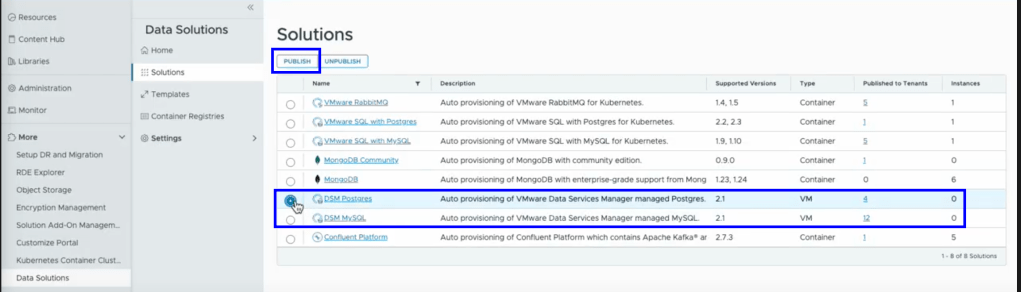
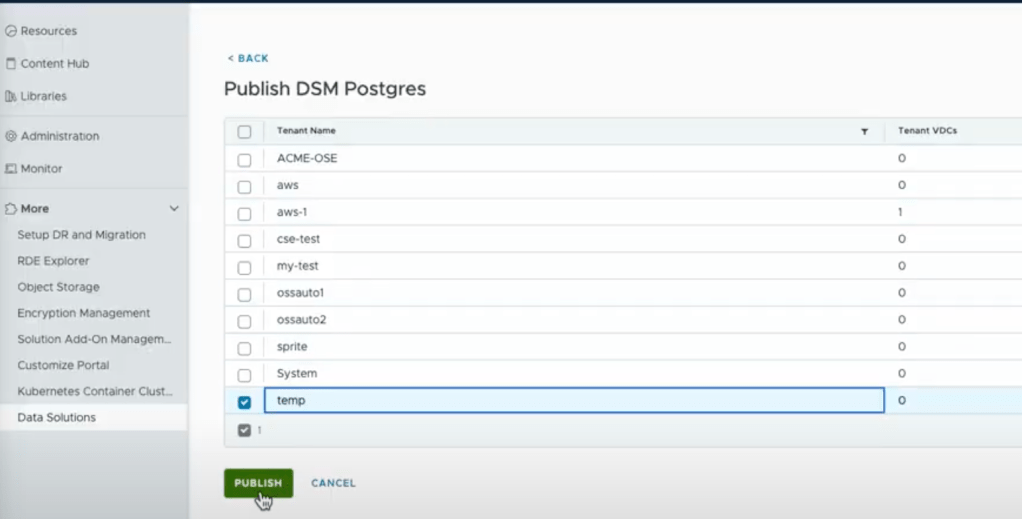
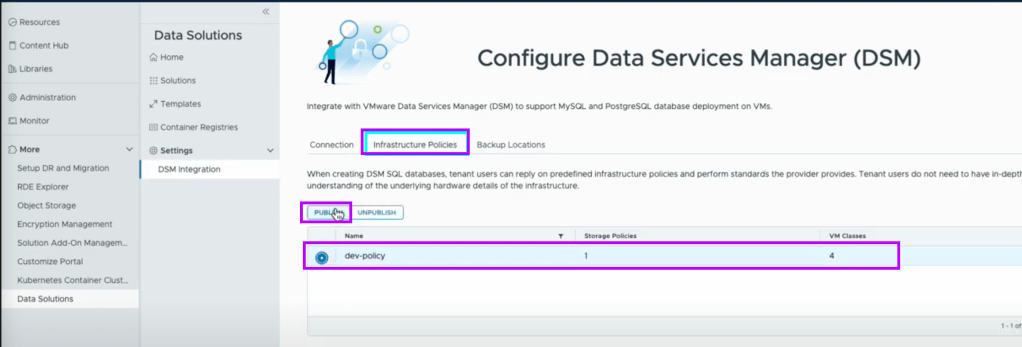
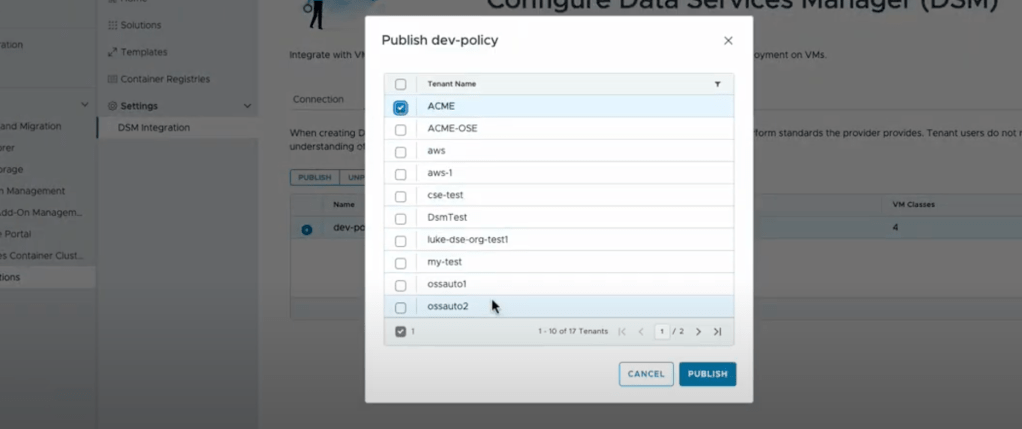
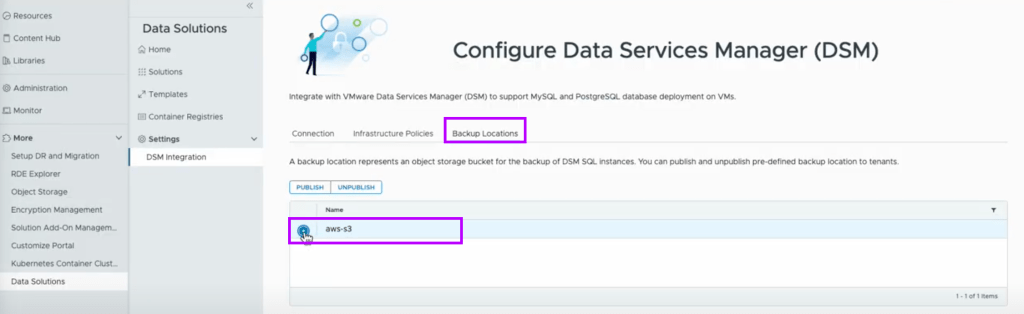
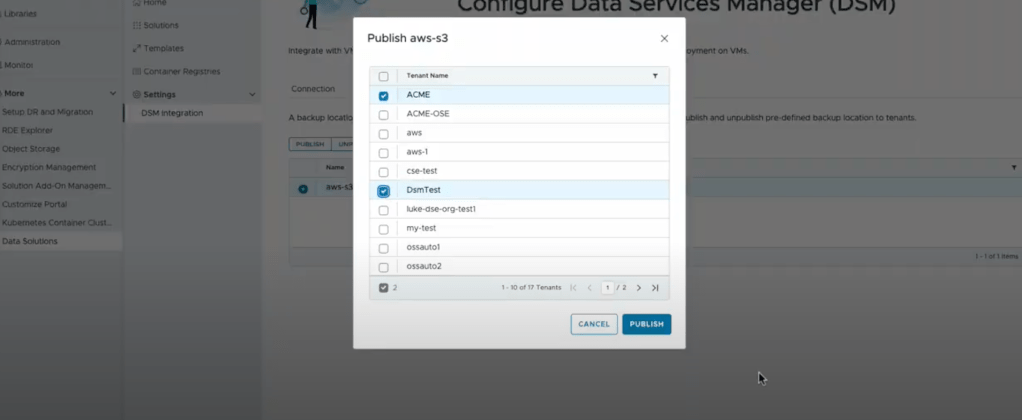
Tenant Self Service
- In a Web browser, navigate to the VMware Cloud Director tenant portal URL.For example, https://vcloud.example.com/tenant/myOrg.
- Enter your user name and password, and click Sign In.
- In the primary left navigation panel, click More > Data Solutions.
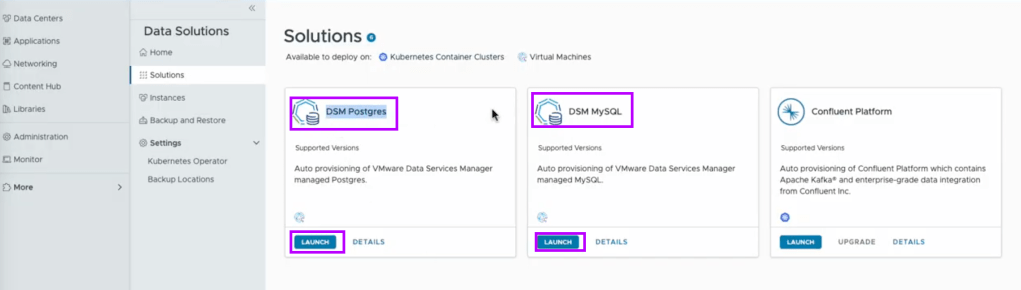
- Select version required and enter required details to deploy a database

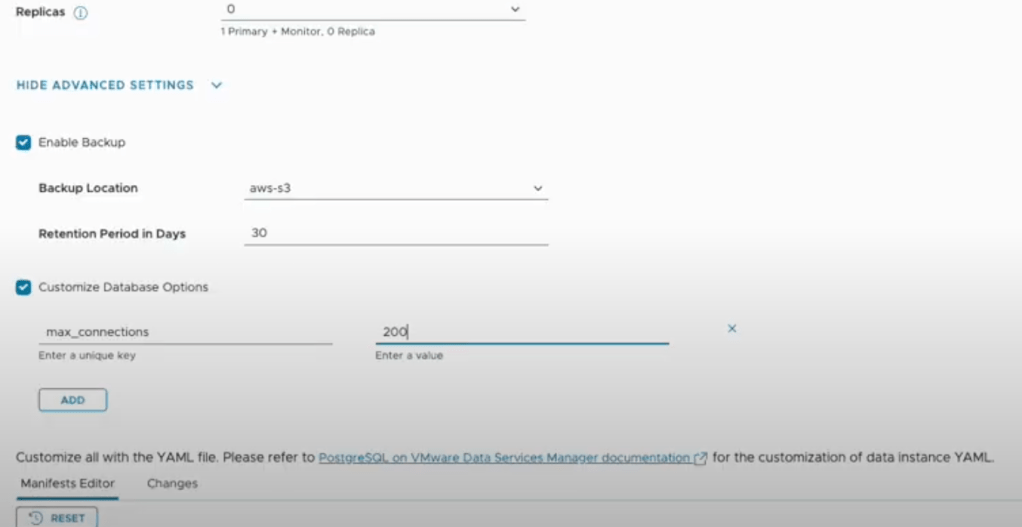
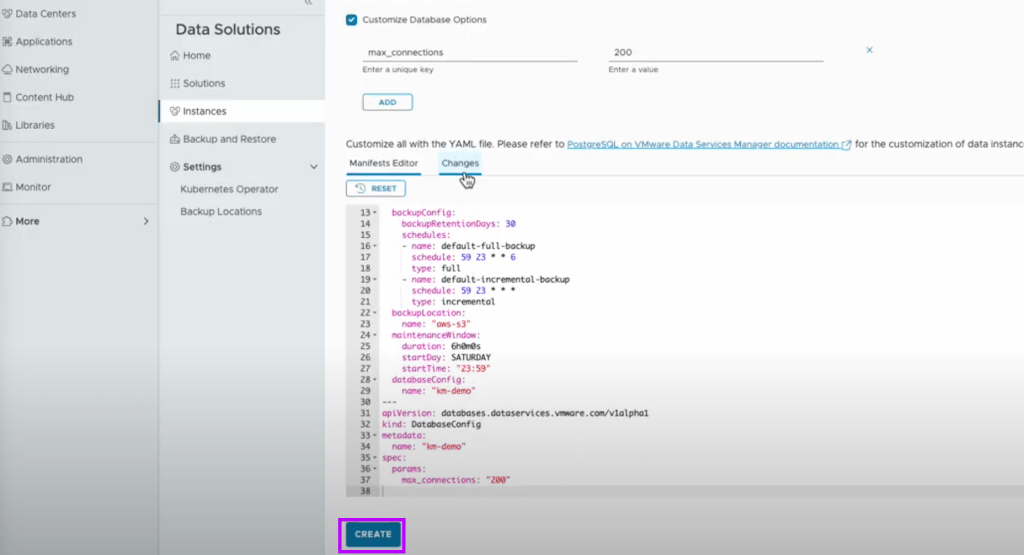

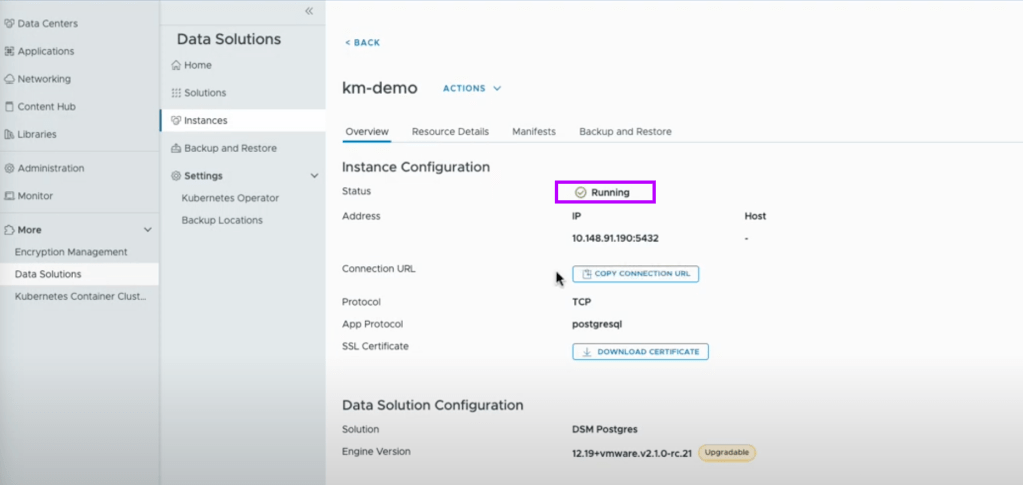
Tenant Self Service – Backup/Restore
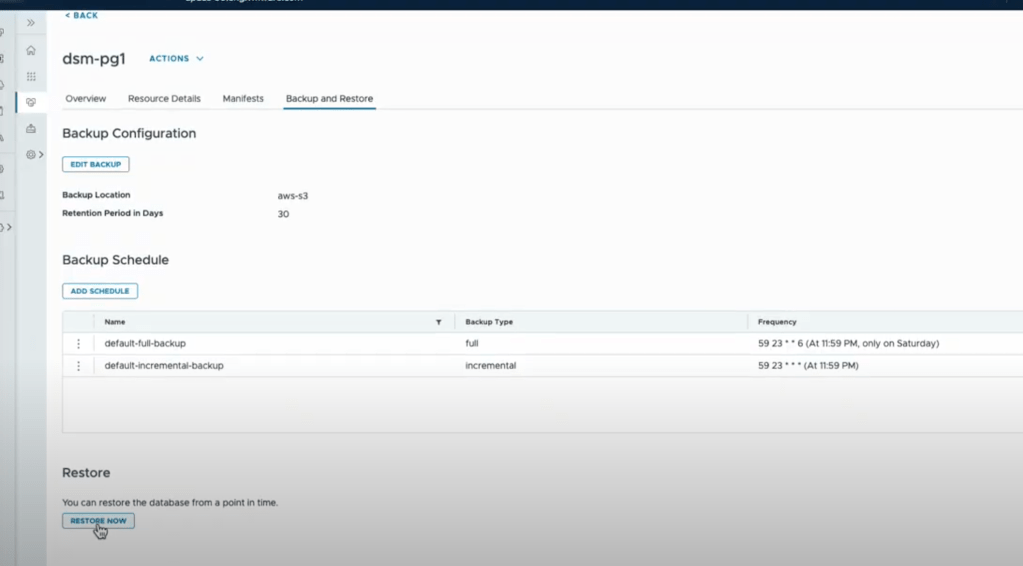
You can protect your data solution instances by backing them up to an S3 location and restoring them to a new instance
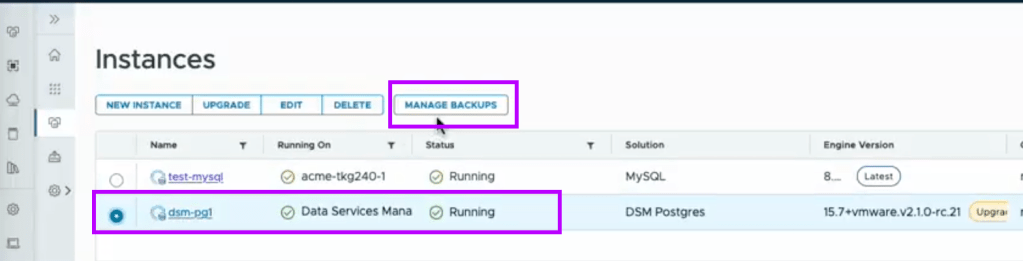
You can backup solution instances on-demand or by using a custom backup schedule. You can back up and restore VMware SQL with Postgres, VMware SQL with MySQL, VMware Data Services Manager MySQL, and VMware Data Services Manager Postgres instances.
Tenant Self Service – Upgrade
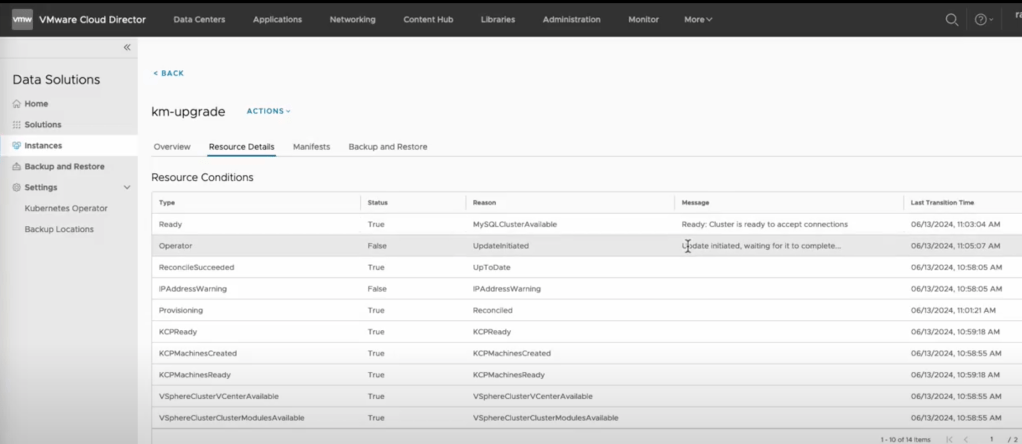
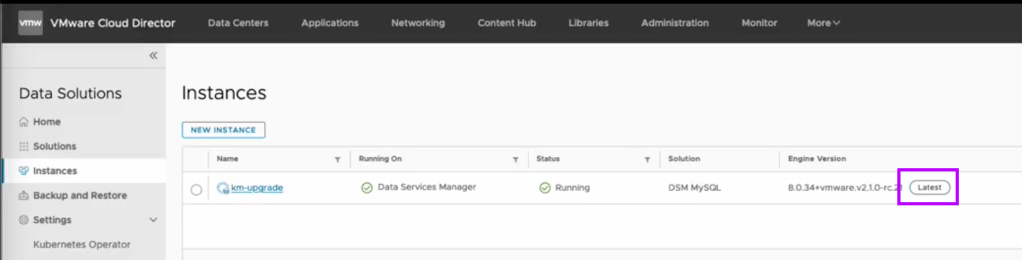
You can upgrade the available data solutions and their instances within the VMware Cloud Director extension for Data Solutions.
Upgrade a solution
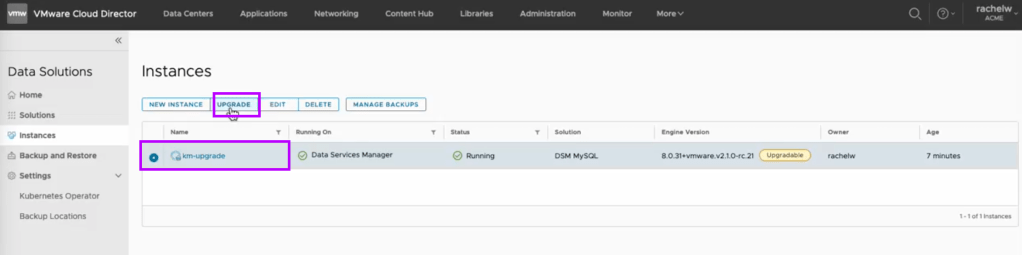
Select the upgrade version and Acknowledge that you have read and completed the pre-upgrade actions and click Upgrade.


Integrating VMware Data Services Manager with VMware Cloud Director and the Data Solutions Extension is a strategic move for cloud providers looking to enhance their service offerings. By following the steps outlined above, you can streamline your data management processes, improve scalability, and deliver a superior experience to your tenants.

 VMTECHIE
Leave a comment